Program enrolment feature helps organizations like your track what programs clients are being enrolled and enrolled from, it provides deep insights into the organizations resource management.
The feature allows users to track when clients are entering a program, for example if your organization runs a class based program, you can track current students. If your organization runs a food bank, you can track individuals currently being served and capacity of those programs.
Step 1: The admin sets up the programs for you. Once the setup is complete, you'll be able to view these in the client profile.
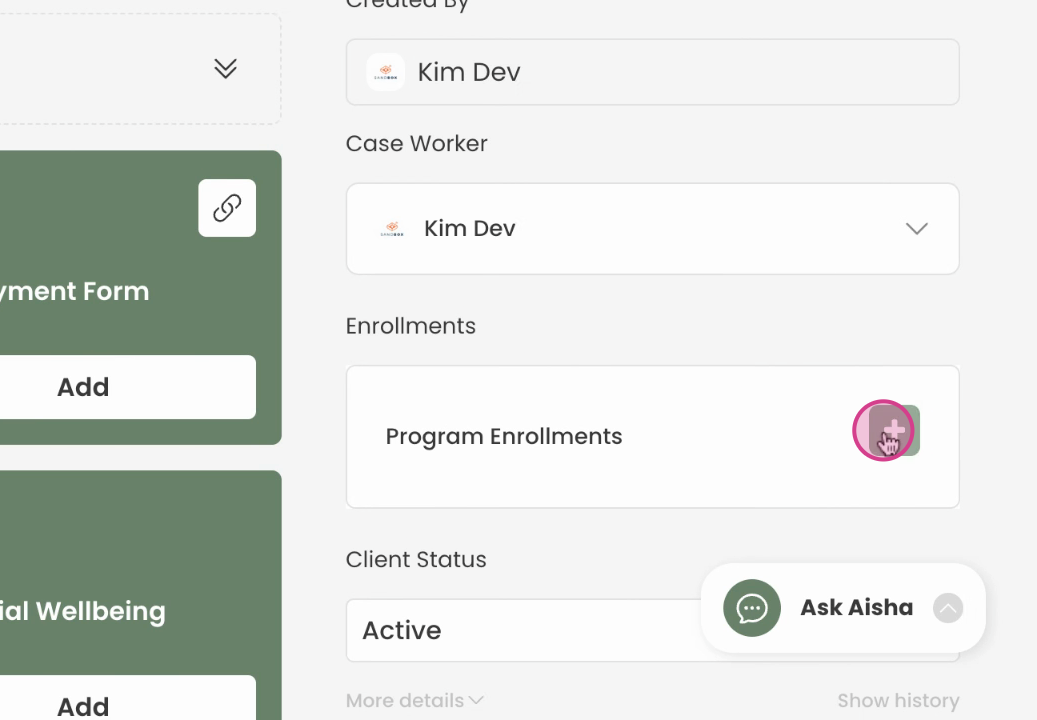
Step 2: In the client profile, click on the green plus button
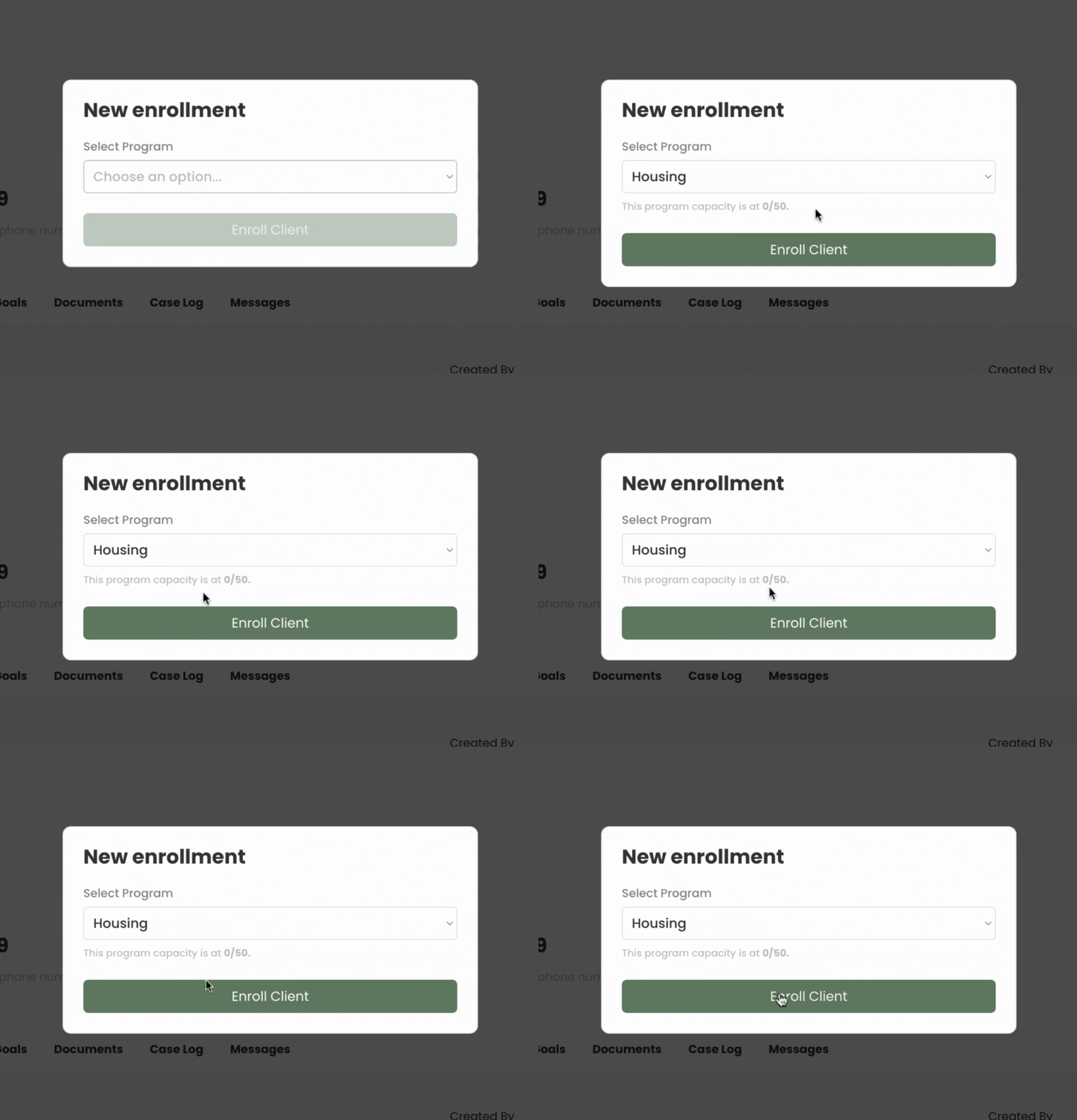
Step 3: After clicking the plus button, select the program and enroll the client.
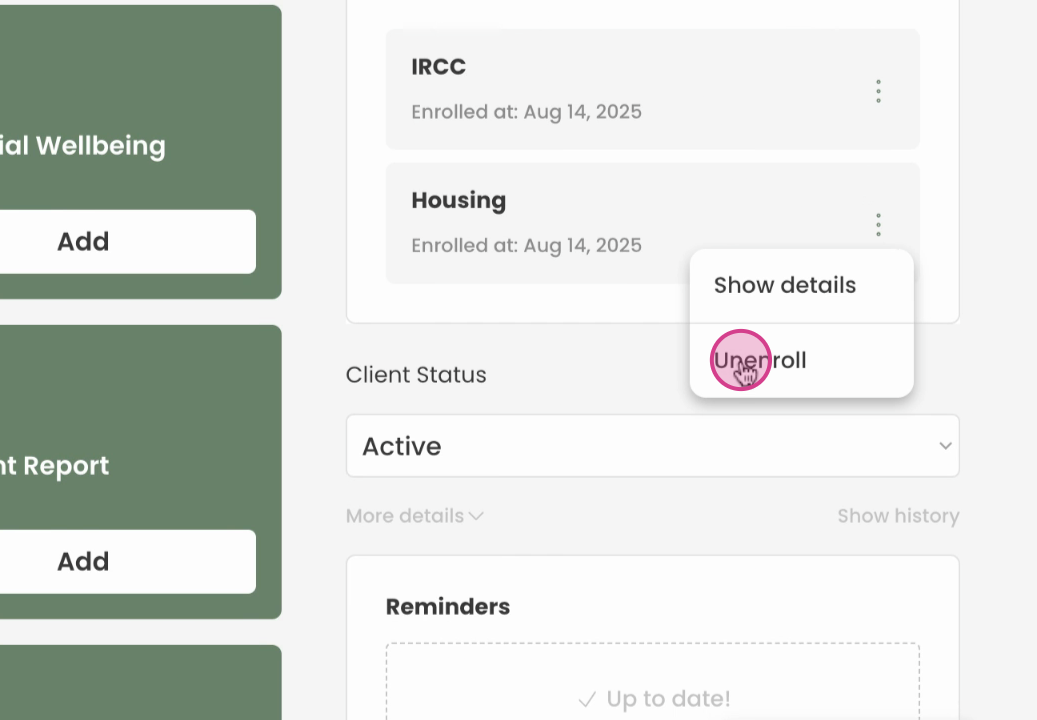
Step 4: unenrol and type a reason for the removal of the client from this program.
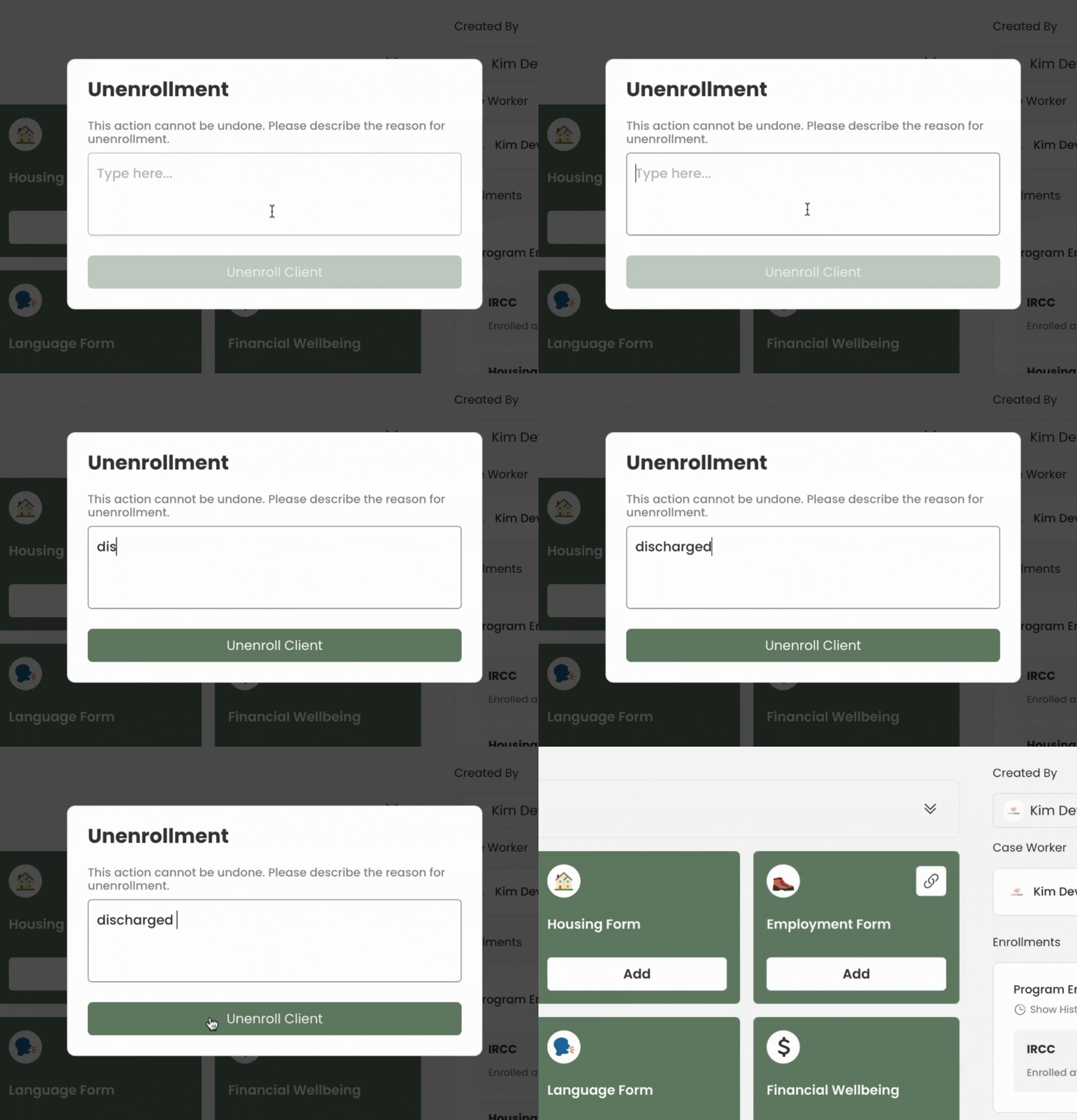
Step 7: Show history, you'll still be able to view the history and previous activities of the client.
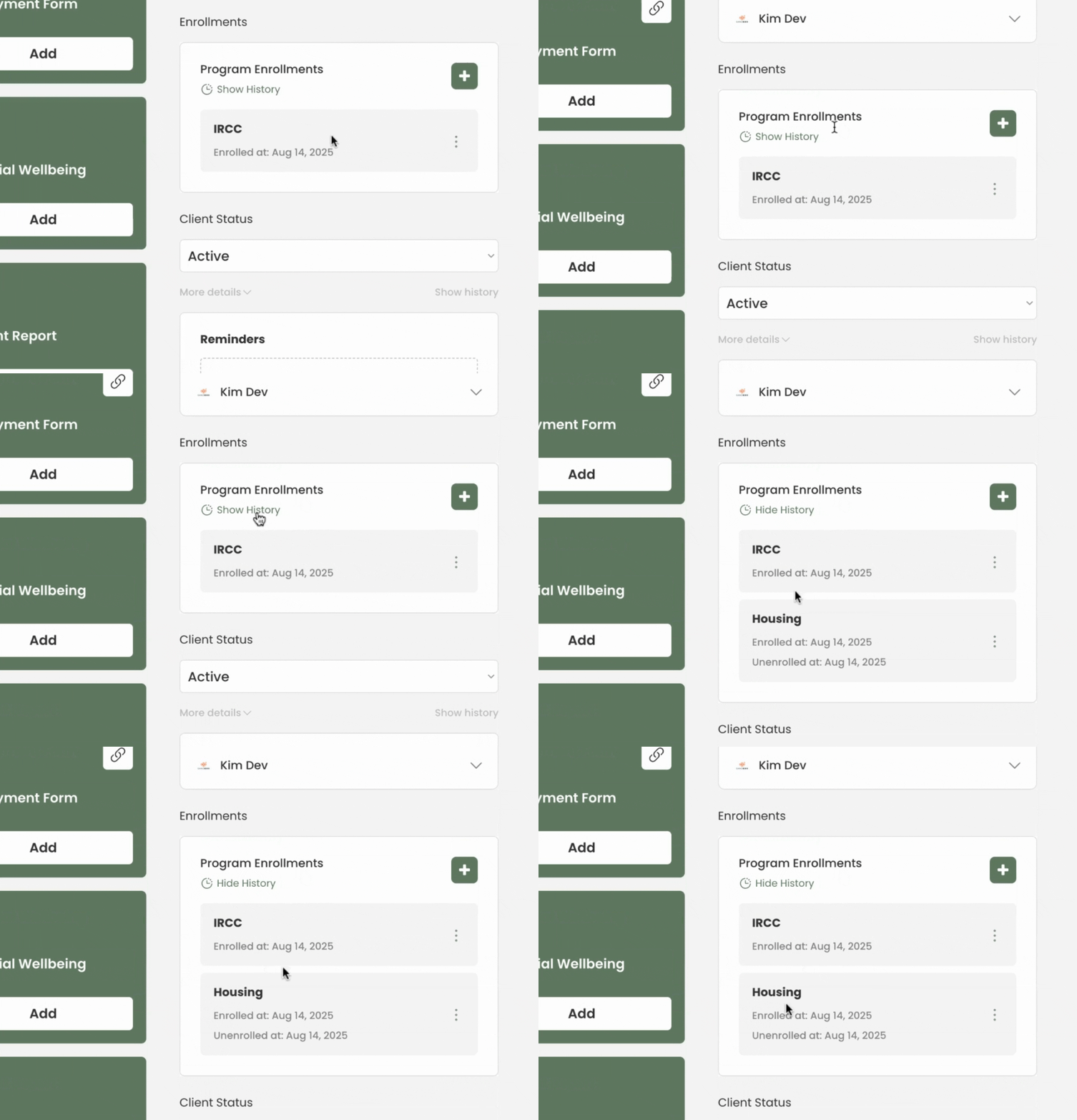
This is the enrollment feature in transform, please reach out if you have any questions.